

Inventory your accounts
List each sign-in separately: Company A’s Gmail, Company B’s Gmail, Slack A, Slack B and work messengers. For each, note the owner, second-factor method and permitted client. If corporate policy requires a managed browser, a third-party app may be unsuitable; check before setting anything up.
See the setup in Centrio
Screenshots show Centrio 3.5.1 with its Russian interface. Service names and the placement of the main controls help you follow the same steps in your language.
Open the service catalog
Click “+” in the left sidebar. Search for your messenger or email service and select its card.
Open full-size screenshot ↗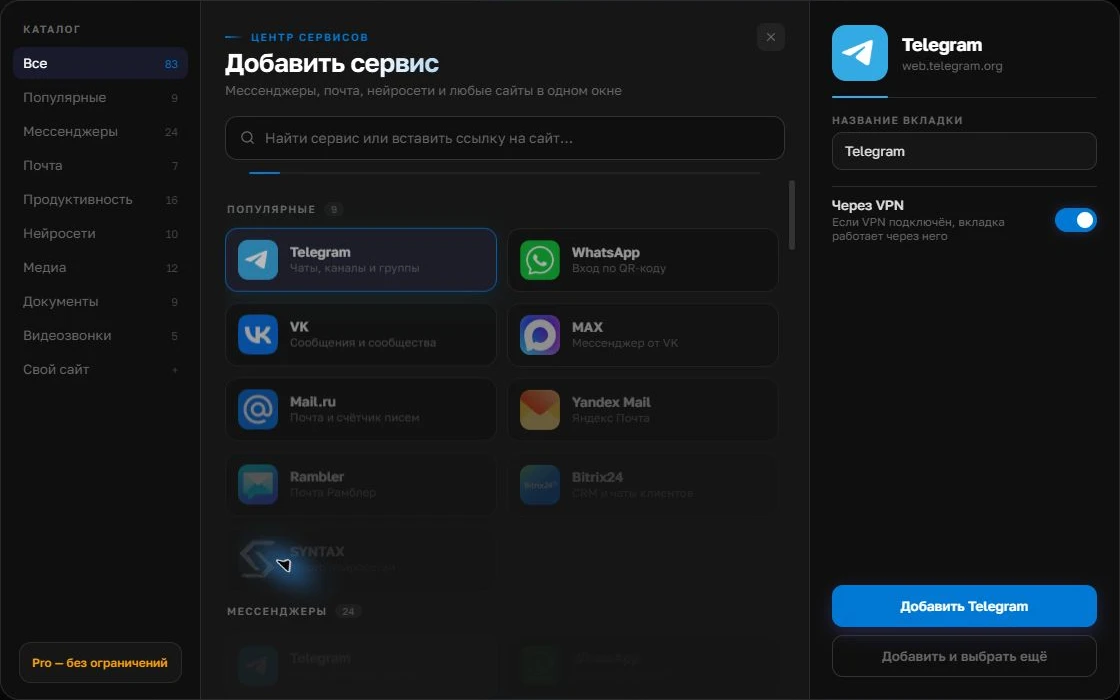
Give the account a clear name
On the right, choose a name you will recognize, such as “Work” or a project name. Add the service, then sign in through its usual website.
Open full-size screenshot ↗For a second account, add the service again. Sign in separately and verify the number or profile before your first reply. Adjust notifications to suit your work.
Build your own workspaceOrganizing accounts in Centrio
Add each account as a separate instance, sign in normally and give it a clear name including the company. In Pro, group the instances into two folders; Free allows three catalog services, which is often too few for two companies. Do not rely on icon color alone: Gmail looks the same for different organizations.
Check before sending
Before sending an email or file, check three things: the sender’s address, the active folder’s name and the recipient. For important documents, pause and reopen the draft. A shared window reduces searching but does not automatically correct human error. After setup, send test emails from both accounts and check their signatures.
- Choose the company folder.
- Check the sender’s address.
- Verify the recipient and attachment.
The limits of separation
Separate sessions do not create separate Windows or macOS permissions. If different people use the device, create separate operating system accounts and manage access there. When handing a client project to an employee, set up invitations and permissions in each service instead of copying local sign-in data.
Frequently asked questions
Can I open two Gmail and two Slack accounts at once?
Yes, as four separate instances. That exceeds Free’s limit and requires Pro.
Does a folder replace an operating system password?
No. A folder organizes services; computer access is protected through the operating system and the accounts themselves.
Sources and verification
Prepared by the Centrio editorial team. Below are official service pages and Centrio documentation. Feature availability depends on the app version and operating system.