
Decide where the final decision belongs
For each project, decide where the outcome is recorded: an email, document or task. Slack works well for brief discussions, but an important decision should be saved where the team can find it later. Centrio helps you see both services together, but does not automatically copy text between them. This is an organisational habit, not an aggregator feature.
See the setup in Centrio
Screenshots show Centrio 3.5.1 with its Russian interface. Service names and the placement of the main controls help you follow the same steps in your language.

Open the service catalog
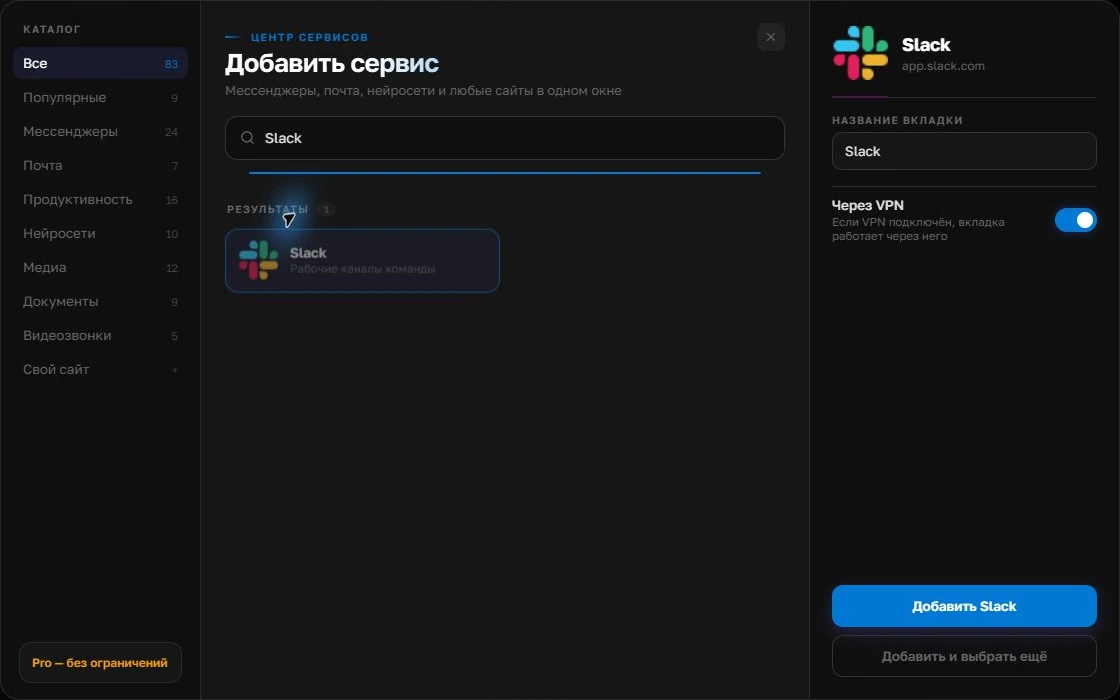
Click “+” in the left sidebar. Search for your messenger or email service and select its card.
Open full-size screenshot ↗Give the account a clear name
On the right, choose a name you will recognize, such as “Work” or a project name. Add the service, then sign in through its usual website.
Open full-size screenshot ↗For a second account, add the service again. Sign in separately and verify the number or profile before your first reply. Adjust notifications to suit your work.
Build your own workspaceBasic setup
Add Gmail and Slack as two services. Sign into your work accounts using the usual Google and Slack verification. Give them clear names if you have several inboxes or workspaces. Free includes three services; folders and split screen require Pro. If your company requires a managed browser or SSO, check whether web sign-in through Centrio is allowed.
Focus on useful notifications, not more notifications
Keep sound for urgent Slack mentions and check routine email on a schedule. Otherwise both channels will interrupt you simultaneously, cancelling out the benefits of a shared window. Test it: send an email and ask a colleague to mention you in Slack, then check the alert you receive and how quickly the correct service opens.
- Slack — immediate questions.
- Gmail — formal confirmations and files.
- One work window — quick movement between contexts.
Who benefits most
This setup suits consultants, recruiters, account managers and project managers who spend the day checking decisions against emails. If you need unified search across email and chats or a legal archive, investigate specialist Google Workspace, Slack and corporate storage features. Centrio does not index their conversations.
Frequently asked questions
Can I open Gmail and Slack at the same time?
Both services can stay in one window; simultaneous viewing in a split layout is a Pro feature.
Will Slack messages appear in Gmail?
No. Each service keeps its own data and notifications.
Sources and verification
Prepared by the Centrio editorial team. Below are official service pages and Centrio documentation. Feature availability depends on the app version and operating system.